
Aiming Bow...
Aiming Bow...

Bow helps parents ask their whole trusted circle for a babysitter at once, so no one person is put on the spot, and saying no feels easy. Here's the whole flow, for both sides.
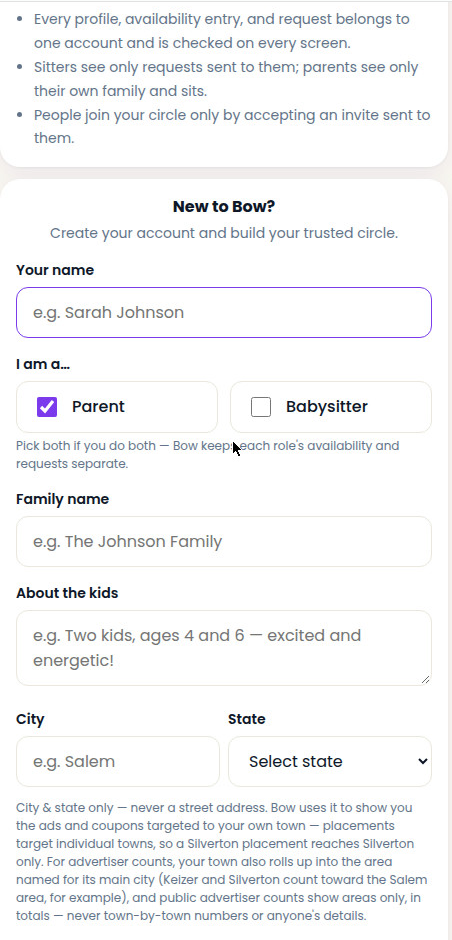
Add your name and mark yourself as a parent. Your family name and a line about the kids help your sitters know what to expect.
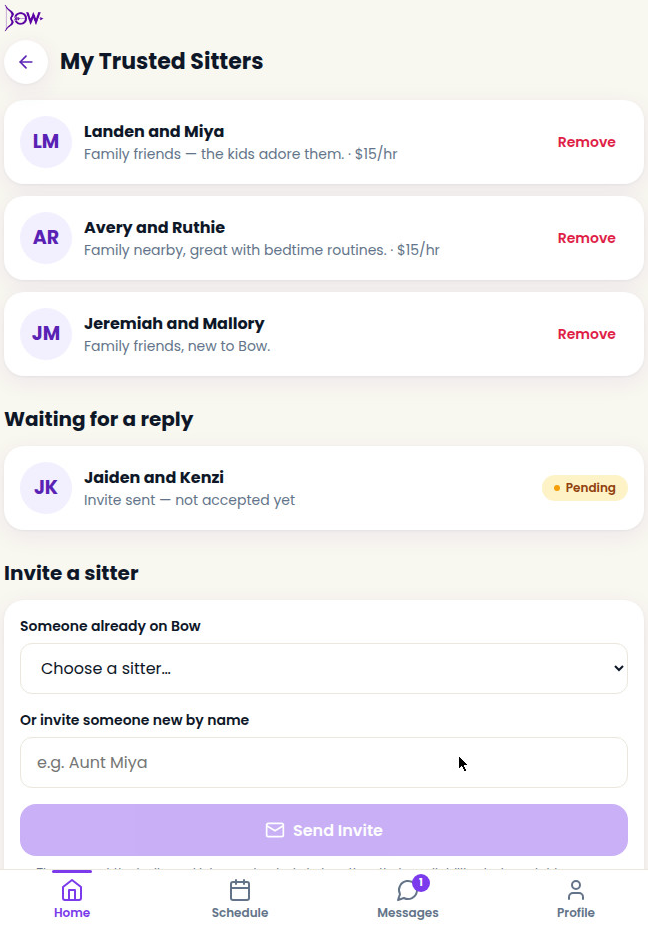
From Home, open your Trusted Sitters and invite family and friends. Pick someone already on Bow, or invite someone new by name. They accept the invite from their Requests tab, and then their availability starts matching yours.
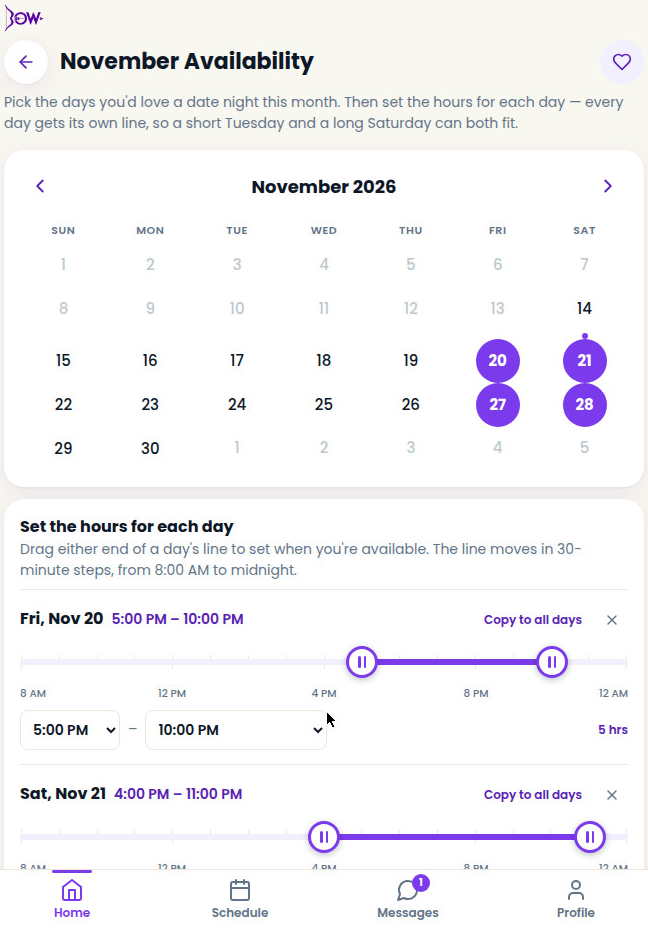
Each month, pick the days you might want a night out, then set the hours for each day. Drag the line or use the time pickers (8 AM to midnight, in 30-minute steps). Every day keeps its own times, and you can re-open a month later to change it.
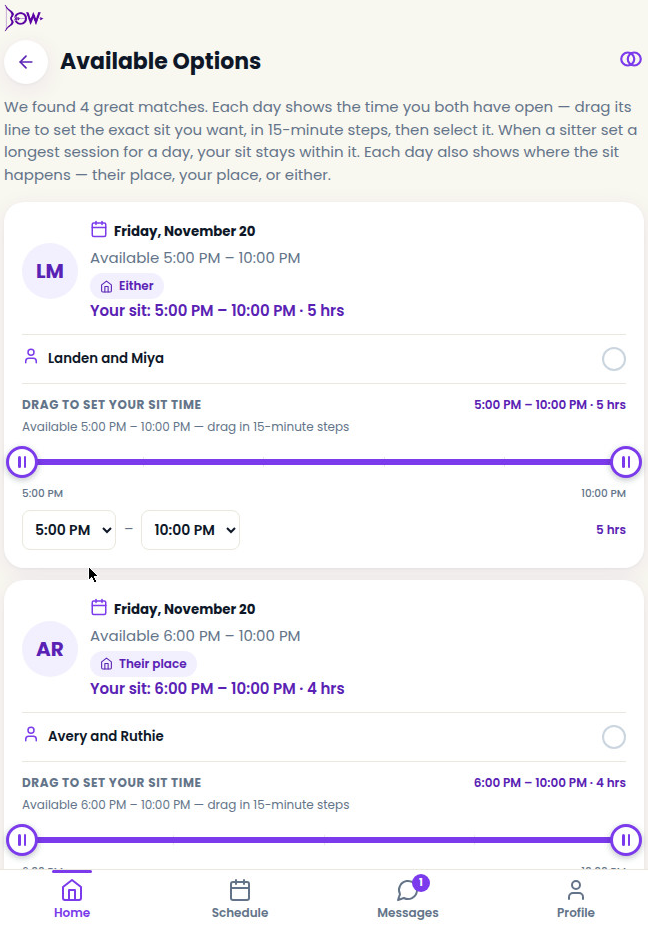
Once a sitter has shared availability too, Bow shows the overlaps on your Available Options screen. Trim each sit to the exact start and end you want. If a sitter put a max length on the evening's sit for that day, your sit stays within it. Each day also shows where the sit happens: your place (your home), their place (the sitter's home), or either. If a day is set to either, confirm the location with your sitter before the sit.
One request goes to one sitter, no group text, nobody put on the spot. They have 72 hours to respond; if the time passes, the request expires and you can ask someone else.
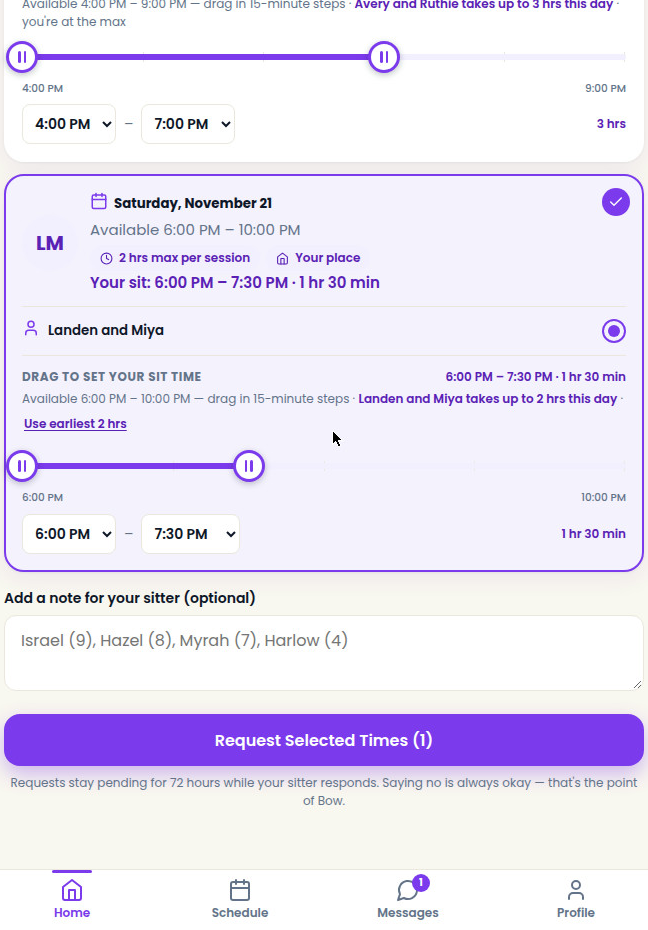
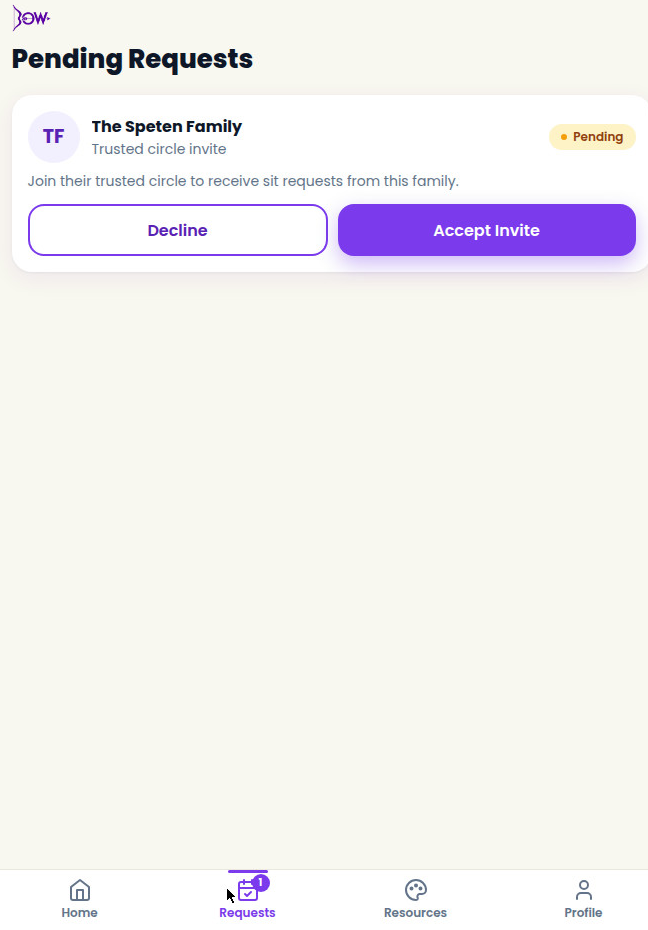
When a sitter accepts, the sit lands on your Schedule and both of you get a confirmation on the channels each of you chose, plus reminders 7 days, 1 day, and 2 hours ahead. You can also download a calendar file for the sit.
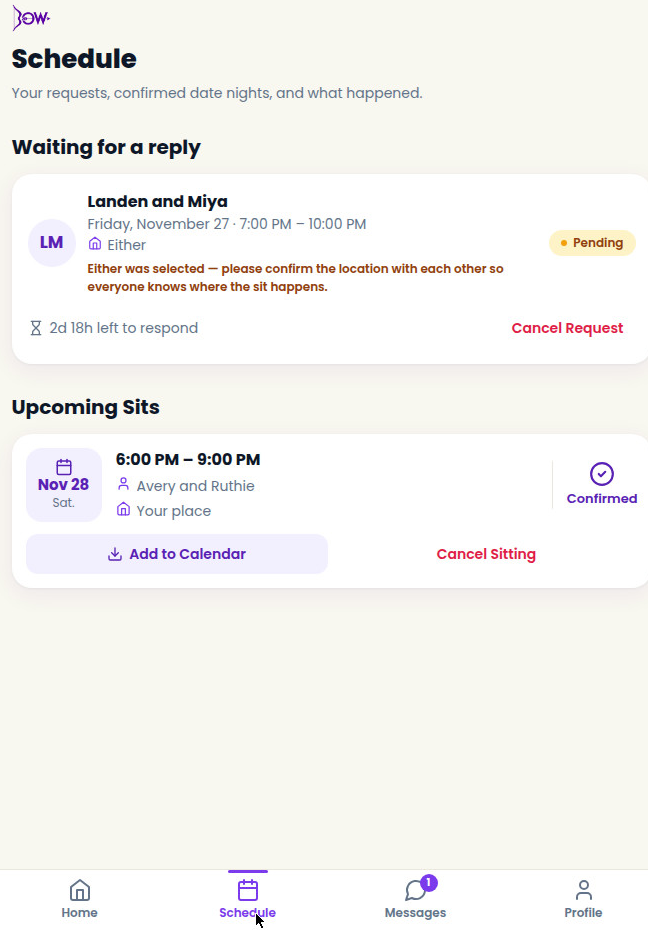
Add your name and mark yourself as a babysitter. A short bio and your base rate, if you have one, are what families see.
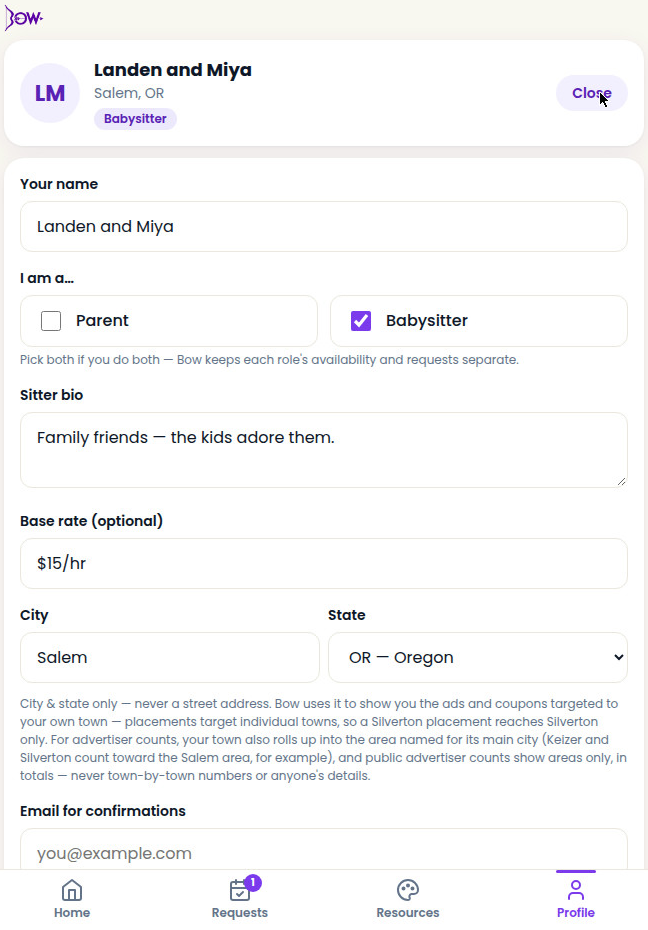
When a family invites you into their trusted circle, it lands in your Requests tab. Accept, and your availability starts matching theirs.
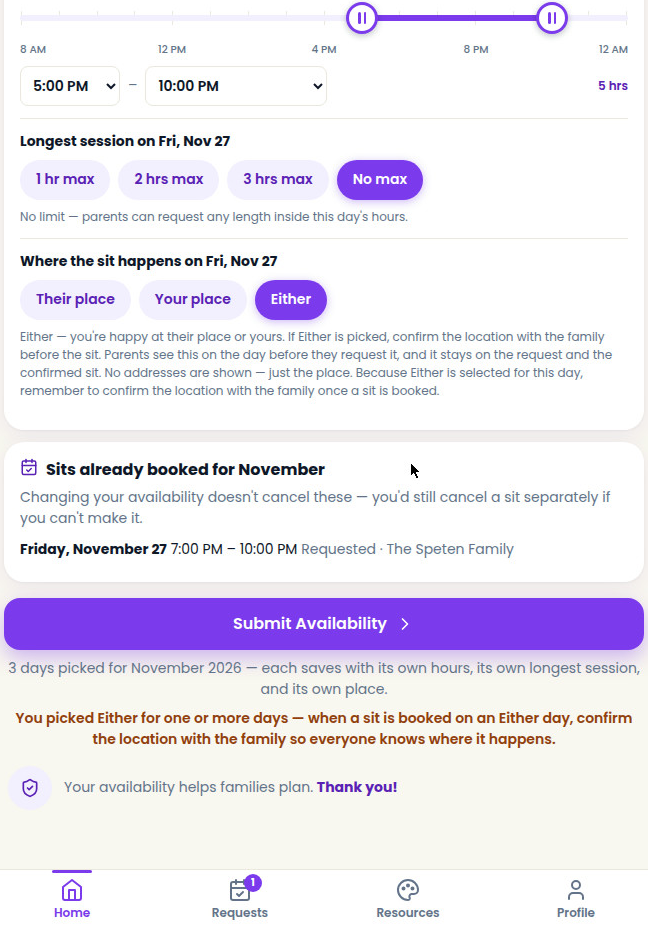
Pick the days you're up for sitting and set each day's hours. For every day you can also put a max length on the evening's sit (1, 2, or 3 hours, or no max) and choose where the sit happens: their place (the family's home), your place (your home), or either. Parents see both choices before they request, and the place rides along on the request and the confirmation. No address is ever shown, just the label. If either is picked, confirm the location with the family before the sit.
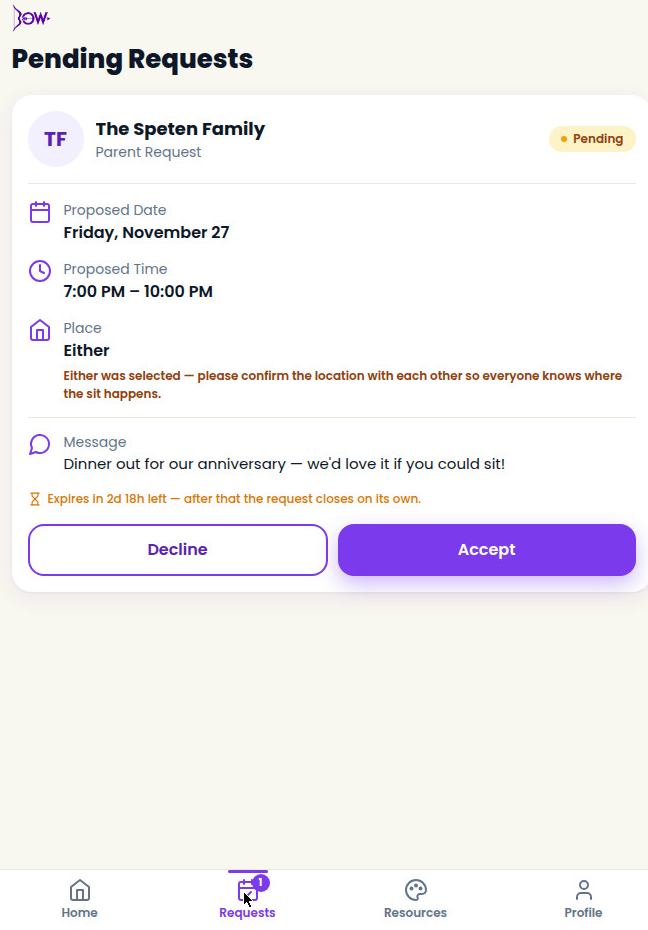
Requests arrive in your Requests tab with the day, hours, and place the family is asking for. Accept or decline. Saying no is built to feel easy, and a kind no is a complete answer.
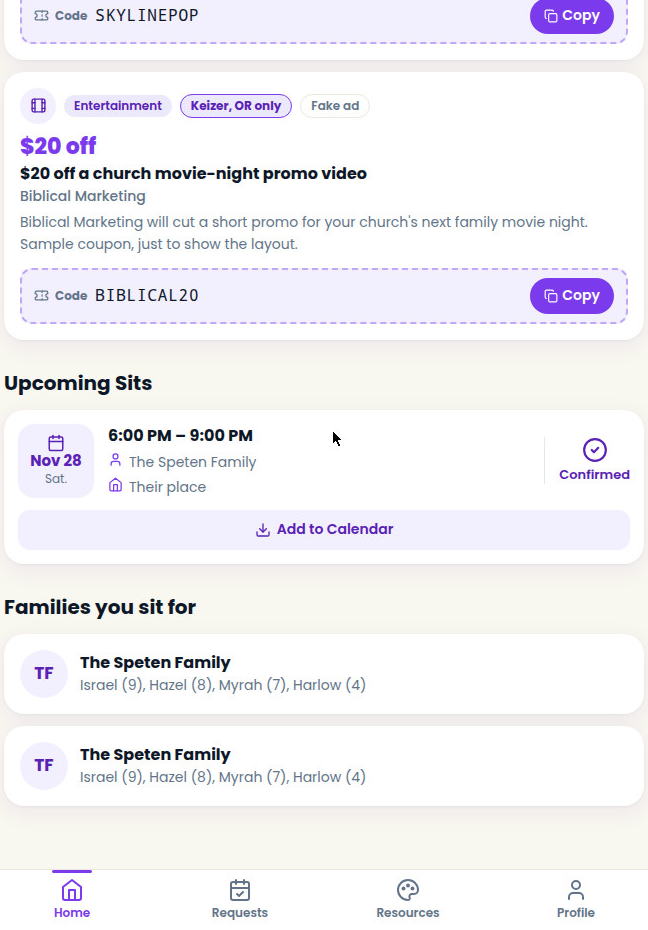
Confirmed sits send you a confirmation on your chosen channels, plus reminders 7 days, 1 day, and 2 hours ahead. Check the coupons on your Home tab for food, toy, and entertainment deals to bring along. And open the Quiver of Resources tab for Shayla's craft ideas, coloring pages, and sit-night activities for the evening.
In the Profile tab, Notification preferences lets each person pick how booking confirmations arrive: in-app, email, and text, and the delivery log there shows what went where.
Parents and sitters can both cancel a confirmed sit from the Schedule or Requests tab, and the other person is notified right away.
If you're both a parent and a sitter, create one profile with both roles. Bow keeps each role's availability and requests separate, and a switch at the top of Home flips between them.
New to Bow? Creating a profile on the log in page takes a minute.